What is an XML sitemap, and does your site need one?
guide // , 5 min read, by Darthwares
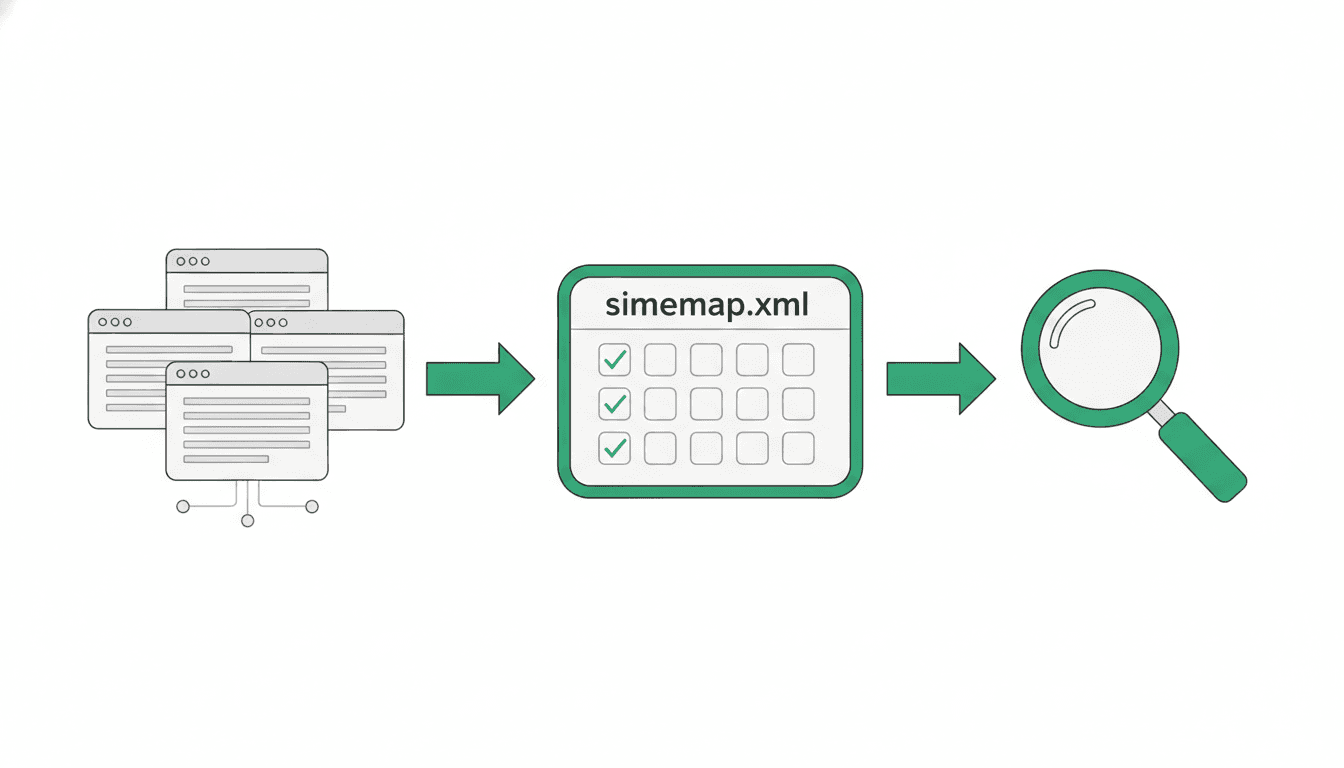
An XML sitemap is a file that provides information about the pages, videos, and other files on your website, along with the relationships between them. Search engines like Google read this file to crawl your site more efficiently. A sitemap tells search engines which pages and files you consider important and offers valuable details about them.
On this page // 7 sections
The short version
- An XML sitemap helps search engines discover important pages on your site.
- It is especially useful for large or complex websites.
- Sitemaps can include details about video, image, and news content.
- Each sitemap file is limited to 50MB or 50,000 URLs.
- For larger sites, use sitemap index files to manage multiple sitemaps.
What is an XML sitemap?
An XML sitemap is a file that provides information about the pages, videos, and other files on your website, as well as the relationships between them. Search engines like Google read this file to crawl your site more efficiently. Google documents that a sitemap tells search engines which pages and files you consider important on your site and provides valuable information about these files.
The Sitemap Protocol, which defines the format, states that it consists of XML tags. All data values within a sitemap must be entity-escaped. XML sitemaps are considered the most versatile of the sitemap formats. You can use a sitemap to provide specific information about various content types on your pages, such as video, image, and news content.
Does your site need a sitemap?
Not every website strictly requires a sitemap. Google states that if your site's pages are properly linked internally, its crawlers can usually discover most of your site without one. However, a sitemap can improve the crawling of larger or more complex sites, or those with more specialized files. A "small" site, in this context, means one with about 500 pages or fewer. While a sitemap helps search engines discover URLs, it does not guarantee that all items listed will be crawled and indexed.
What information can a sitemap include?
A sitemap can convey to search engines which pages and files you deem important on your site. It also provides valuable information about these files. For example, you can use a sitemap to provide details about specific types of content on your pages, such as video, image, and news content.
One important piece of information you can include is the <lastmod> value. Google documents that this value should reflect the date and time of the last significant update to the page. Google also documents that the value for the lastmod tag must be in W3C Datetime format.
What are the size limits for sitemaps?
All sitemap formats have specific size limitations. Google states that a single sitemap is limited to 50MB when uncompressed, or 50,000 URLs. The Sitemap Protocol confirms these limits, stating that each sitemap file must have no more than 50,000 URLs and be no larger than 50MB (52,428,800 bytes). If your site has a larger file or more URLs than these limits, you must break your sitemap into multiple sitemaps.
How do sitemap index files work?
When a sitemap exceeds the size limits of 50MB or 50,000 URLs, you need to split it into multiple smaller sitemaps. The Sitemap Protocol recommends that if you provide multiple sitemaps, you should then list each sitemap file in a sitemap index file. This index file allows you to submit many sitemaps at once.
Google explains that the XML format of a sitemap index file is very similar to a regular sitemap file and is defined by the Sitemap Protocol. Google states that the sitemaps referenced in the index file must be hosted on the same site as your sitemap index file. Google also specifies that these referenced sitemaps must be in the same directory as the sitemap index file, or lower in the site hierarchy. A sitemap index file can contain up to 50,000 <loc> tags, each pointing to a sitemap, and you can submit up to 500 sitemap index files for each site in your Google Search Console account.
How do you submit a sitemap?
There are a few ways to inform search engines about your sitemap. Google advises submitting a sitemap in Search Console using the Sitemaps report.
The Sitemap Protocol strongly recommends placing your sitemap at the root directory of your web server. You can also specify the location of your sitemap in your robots.txt file by adding a line that includes the full URL to the sitemap, such as Sitemap: http://www.example.com/sitemap.xml.
Common questions
What is the primary purpose of a sitemap?
A sitemap is a file that provides search engines with information about your site's pages, videos, and other files, and their relationships. Its main purpose is to help search engines like Google crawl your site more efficiently and discover important content.
Does a sitemap guarantee that my pages will be indexed?
No, a sitemap helps search engines discover URLs on your site, but Google states it does not guarantee that all the items in your sitemap will be crawled and indexed.
What are the maximum size and URL limits for a single sitemap file?
According to Google and the Sitemap Protocol, a single sitemap file is limited to 50MB (uncompressed) and can contain no more than 50,000 URLs.
Where should I place my sitemap file on my server?
The Sitemap Protocol strongly recommends placing your sitemap at the root directory of your web server. You can also specify its location in your robots.txt file.
What is a sitemap index file used for?
A sitemap index file is used to manage and submit multiple sitemap files, especially when your site exceeds the 50MB or 50,000 URL limit for a single sitemap. It lists all your individual sitemaps, allowing you to submit them to search engines at once.
Primary sources and further reading
This article was researched and written by an AI model and published automatically. It was written from sentences that were checked to appear on the pages below, but a person has not reviewed the text. If something is wrong, tell us at chibivikramathithan@darthwares.com and we will correct it.